Why This Matters
Managing a Telegram community in 2026 hits different than it did even three years ago. Spam bots have gotten smarter, bad actors are harder to spot, and keeping up with message volume in any halfway-active group can eat your entire day. Admins are stretched thin — welcoming new members, chasing down rule-breakers, answering the same five questions for the hundredth time, and somehow still trying to actually show up for their community. The gap between what real humans can handle and what a busy Telegram group demands? It keeps getting wider.
The frustrating part isn't just the workload — it's that the alternatives kind of suck. Platform-bundled AI tools rope you into one model with no say over pricing. Self-hosted bots assume you have DevOps chops that most community managers never claimed to have. And middleware solutions like Zapier? That's just duct tape on a leaky pipe. What people actually building communities need is something that lets them pick their AI model, keep an eye on costs, and get up and running fast — without touching a single line of code.
"I spent three weekends trying to set up a self-hosted moderation bot. Got it working, then an API update broke everything. I just want something that handles the spam and answers FAQs without me babysitting a server at 2am."
— r/TelegramBots
"Tried a platform that had 'AI moderation built in' but I had no idea what model it used, the responses felt off, and there was no way to tune anything. Ended up paying for something that made my community feel robotic. Never again."
— r/CommunitiesTech
| Moderation Method | Availability | Response Time | Scalability | Cost |
|---|---|---|---|---|
| Human moderators | Limited hours | Minutes to hours | Hire more people | $500-2000+/mo per person |
| Rule-based bots | 24/7 | Instant (keyword only) | Good for simple rules | Free-$20/mo |
| Zapier + ChatGPT | 24/7 (when webhooks work) | 5-15 seconds | Limited by triggers | $50-200/mo |
| Weavin AI Moderator ✦ | 24/7 always-on | 1-3 seconds | Handles any group size | $39.9/mo flat |
What You'll Have at the End
You will get
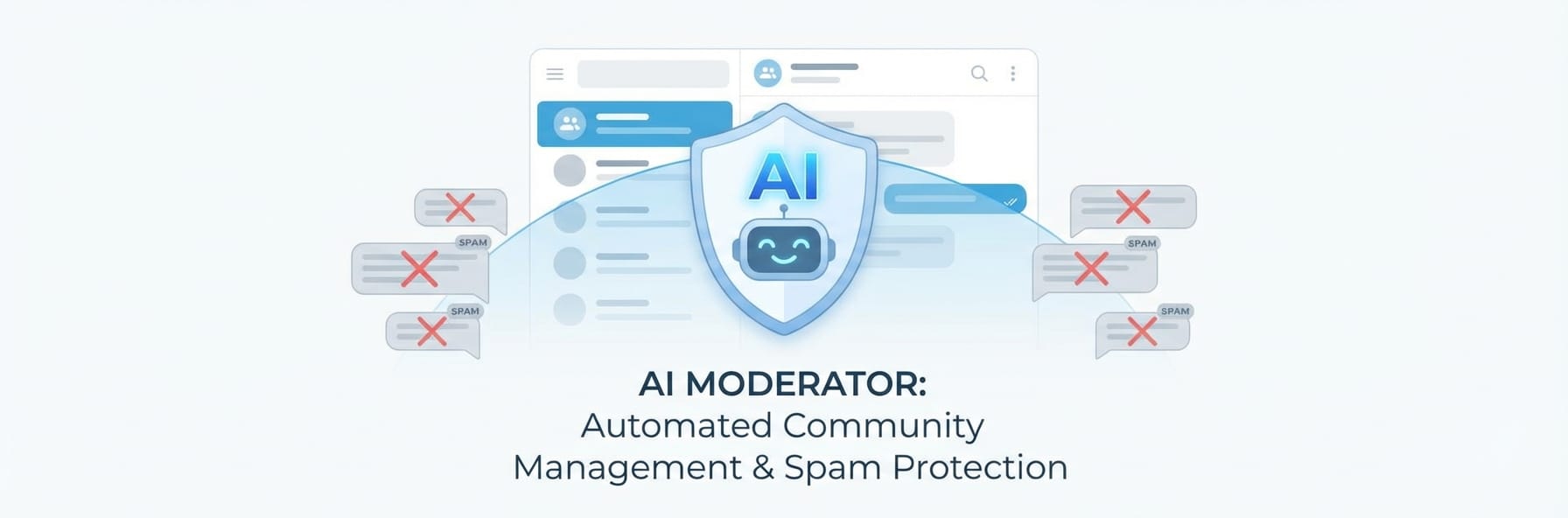
- 24/7 spam and toxic content removal
- Instant AI answers to member questions
- Custom persona aligned to your brand
- Works with Claude, GPT, or Gemini via BYOK
Step-by-Step Guide
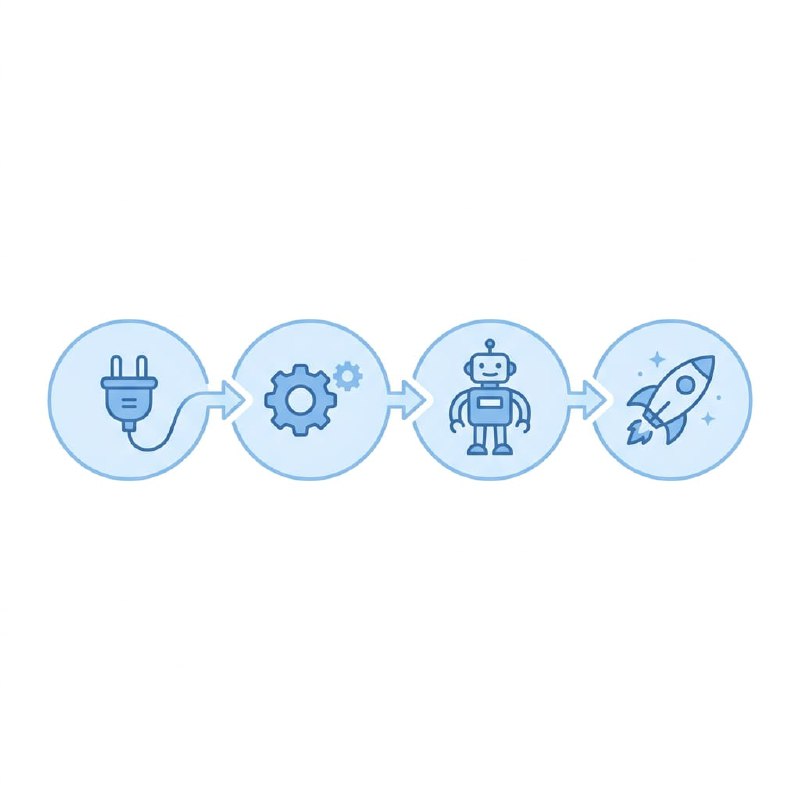
Click each step to expand. The whole process takes about 5 minutes.
Connect Your AI API Key to Weavin ~3 min
Weavin's BYOK (Bring Your Own Key) system lets you plug in your preferred AI provider — see our API key guide for details. Your community moderator runs on the model you trust most. This keeps costs transparent and gives you full control over AI behavior.
- Log into your Weavin dashboard and navigate to Settings → AI Integrations
- Click Add API Key and choose your provider: Claude (Anthropic), GPT (OpenAI), or Gemini (Google)
- Paste your API key into the secure input field — Weavin encrypts it at rest and never exposes it to third parties
- Hit Validate Key to confirm the connection is live, then select your preferred model version (e.g. Claude 3.5 Sonnet, GPT-4o, or Gemini 1.5 Pro)
Link Weavin to Your Telegram Community ~4 min
Once your API key is active, you'll connect Weavin directly to your Telegram group or channel. The AI moderator joins as a bot admin so it can read, flag, and act on messages in real time.
- Go to Communities → Add New in your Weavin dashboard and select Telegram as the platform
- Follow the OAuth prompt to authorize Weavin's Telegram bot — you'll be redirected to Telegram to approve admin permissions
- Add the generated Weavin bot to your Telegram group and grant it Delete Messages and Ban Users admin rights
- Return to Weavin and click Confirm Connection — your group name should appear as Active in the Communities list
Configure Your AI Moderation Ruleset ~5 min
This is where your chosen AI model earns its keep. Weavin lets you write natural-language moderation rules that your Claude, GPT, or Gemini key will enforce — no rigid keyword lists required. The AI understands context, tone, and intent.
- Open your connected community and click Moderation Rules → Create Ruleset
- Write plain-English rules in the prompt field, for example: 'Remove any message promoting competing products, and warn users who share unsolicited referral links'
- Set escalation actions for each rule: Warn, Delete, Mute (1h/24h), or Ban — you can chain actions so repeat offenders get progressively stricter responses
- Enable AI Reasoning Logs so every moderation action shows you exactly why your AI flagged the message, giving you an audit trail you can review or appeal
Monitor Results and Tune Your AI Moderator ~3 min
A live AI moderator improves when you give it feedback. Weavin's dashboard shows you moderation activity in real time, and correcting false positives directly retrains the prompt context for your specific community's culture and language.
- Visit Analytics → Moderation Feed to see every action your AI has taken, sorted by timestamp, rule triggered, and confidence score
- Click any flagged message and select Mark as False Positive — Weavin appends a correction example to your ruleset's context so the same AI key handles edge cases better going forward
- Use the Model Swap button to hot-swap between your saved API keys (e.g. switch from GPT-4o to Claude for a week) and compare accuracy stats side by side in the Provider Comparison panel
- Set a weekly Moderation Report email digest so community managers stay informed without needing to check the dashboard daily
The Problem Nobody Talks About Honestly
Running a Telegram community is a second job.
Not metaphorically — literally. The hours you spend monitoring messages, answering the same questions for the hundredth time, welcoming new members, handling off-hours drama, and trying to keep conversations moving add up to something that looks a lot like unpaid part-time work. For most community managers, this happens on top of everything else they're doing.
And the expectation keeps rising. Members who joined in 2022 were patient. They'd wait hours for a response. Members joining in 2026 have been trained by instant AI responses everywhere else they go online. When they ask a question in your Telegram group and nobody responds for six hours, they don't assume you're busy. They assume the community is dead.
The gap between what members expect and what a human moderator team can realistically deliver has widened to the point where it's actively hurting communities that would otherwise be healthy.
AI moderation is the practical response to that gap. Not because it's a perfect solution — it isn't — but because the alternative is continuing to operate a community that increasingly fails the people in it.
What "AI Moderator" Actually Means
The term gets used loosely, so it's worth being precise about what an AI moderator in a Telegram community actually does.
It is not a content filter that flags and removes messages based on keywords. That's a spam tool, and Telegram already has those.
An AI moderator in the sense we're talking about is a conversational AI agent — an Avatar — that lives in your Telegram group as an active participant. It reads messages, responds to questions, welcomes new members, starts and sustains conversations, handles routine requests, and maintains a consistent presence at all hours.
It's the difference between a passive rule-enforcement system and an active community participant. One removes bad content. The other creates good content and engagement.
Both have a role. But the second one is what changes how a community actually feels to be in.
The Five Gaps an AI Moderator Fills
Gap 1: The time zone problem
Telegram communities are increasingly global. Your members are in Sydney, Lagos, São Paulo, and Berlin. When it's 9pm in Singapore and your most active moderator logs off, it's 3am somewhere and 2pm somewhere else. The community doesn't stop. You do.
An AI moderator doesn't sleep. The member in Brazil who asks a question at 2am your time gets a response immediately. The new member who joins from Germany while your team is asleep gets a welcome message and orientation within seconds. The conversation that would have died overnight because nobody was there to respond gets kept alive.
This isn't a minor convenience. For communities with real global membership, time zone coverage is the difference between members feeling like they belong and members feeling like they joined something built for a different audience in a different part of the world.
Gap 2: The repetitive question tax
Every community has them. The same five questions, asked by every new member who joins, answered the same way by whichever moderator happens to be online. After the first hundred times, this is not community management — it's a customer service queue.
The moderator who's spent the morning answering "how do I get the verified role?" for the fourteenth time this week is not doing their best work. They're burning the energy and goodwill they need for the conversations that actually require human judgment.
An AI moderator handles the repetitive queue. Not by giving worse answers — a well-configured AI that knows your community thoroughly gives consistent, accurate answers every time, without the degradation in quality that comes from human fatigue. The human moderators get their time back for the things that actually need them.
Gap 3: The new member dropout window
There is a specific window — roughly the first 15 minutes after a new member joins — during which the likelihood of them becoming an engaged member is either established or lost. If they're welcomed, oriented, and given something to do in that window, they stick around. If they join a quiet room and hear nothing for an hour, they leave and don't come back.
Human moderators cannot reliably catch every new member in that window. Especially during off-hours, especially in fast-growing communities where five or ten new members join on a busy day. The gaps are inevitable.
An AI moderator catches every single one. No exceptions, no delays, no dependency on who happens to be online. Every new member gets welcomed within seconds, given a clear orientation, and directed toward their first action in the community. The conversion rate from new member to engaged member improves directly as a result.
Gap 4: The dead air problem
Communities have rhythms. Active periods and quiet periods, days when conversation flows and days when nobody posts first. In a healthy community with strong network effects, the active periods are frequent enough that the quiet ones don't matter much.
In a smaller or younger community, quiet periods are dangerous. An hour of dead air becomes two hours, then half a day, then members start to notice and the perception shifts from "quiet right now" to "this community isn't really active."
An AI moderator breaks dead air. Scheduled conversation starters, topic prompts, questions relevant to the community — deployed at times when engagement historically drops. Not spam, not noise, but genuine prompts that give members something to respond to when they wouldn't have initiated a conversation themselves.
Gap 5: The consistency problem
Human moderation is variable. Different moderators have different styles, different levels of patience, different interpretations of the community rules. A question asked on Tuesday might get a thorough answer from the moderator on duty. The same question asked on Friday might get a terse two-word response from a different moderator who's had a long week.
Members notice this inconsistency even when they don't consciously register it. The community feels less reliable, less safe, less like a place with clear norms.
An AI moderator is perfectly consistent. The same question always gets the same quality of response. The tone is always the same. The community rules are always applied the same way. This consistency is part of what makes a community feel stable and trustworthy over time.
What AI Moderation Cannot Do
Intellectual honesty requires covering this part.
It cannot exercise genuine social judgment. When two longtime members have a conflict with history behind it, when someone is clearly struggling emotionally, when a situation is genuinely ambiguous — these require human judgment. An AI moderator can handle the routine. It cannot handle the complex.
It cannot build deep relationships. The bonds that make communities durable — real friendships, meaningful mentorships, the sense of being genuinely known by other people — come from human interaction. An AI moderator can create the conditions for those relationships to form. It cannot substitute for them.
It cannot read the room in the way humans can. A skilled human moderator knows when to let a heated debate run because it's generating real energy, and when to step in because it's about to turn toxic. An AI can be configured with rules, but context sensitivity at that level remains a human skill.
It cannot save a community that people have moved on from. If the topic has run its course or the core membership has left, no amount of AI engagement will reverse that. AI moderation extends and enhances communities. It doesn't resurrect ones that have genuinely ended.
The practical implication: AI moderation works best as a layer that handles the routine, the repetitive, and the always-on — freeing human moderators to focus on the high-judgment situations that actually need them.
What Good AI Moderation Looks Like in Practice
The communities where AI moderation works well have a few things in common:
The bot has a real identity. It has a name, a voice, a personality that fits the community culture. Not "AI Assistant" — something specific. In a crypto community it might be direct and market-literate. In a creative writing group it might be warm and engaged with craft. The bot feels like a member, not a help desk.
It knows the community. It's been given thorough information about the community's topic, culture, rules, common questions, and ongoing conversations. A bot that only knows what the base AI model knows is a generic bot. A bot that knows your community specifically can answer in a way that feels like it belongs.
Human moderators are still present. The best AI moderation setups use the bot to handle what humans shouldn't have to spend time on, so that when humans do show up, their presence is more valuable, not less. Communities that try to replace human presence entirely with AI end up feeling hollow. Communities that use AI to supplement strong human moderation feel alive in a way that's hard to achieve otherwise.
It knows its limits. When something falls outside its knowledge or competence, it says so and routes to humans. An AI moderator that makes things up or oversteps its role does more damage than no AI moderation at all.
The 2026 Context
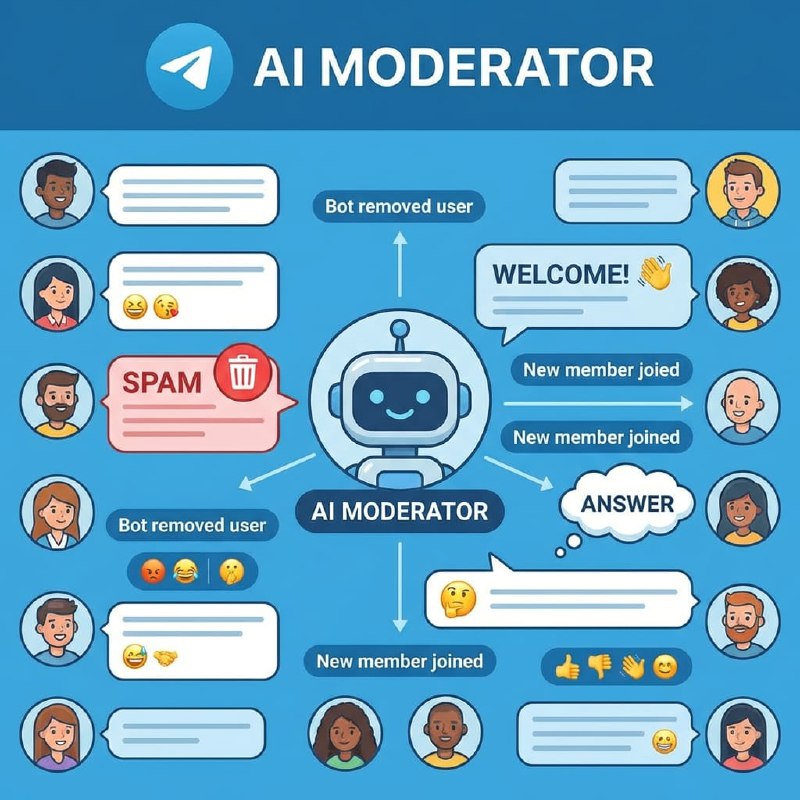
A few years ago, deploying an AI moderator in a Telegram community required a developer, a server, weeks of setup, and ongoing maintenance. The barrier was high enough that it was effectively only available to well-resourced communities with technical teams.
That's no longer true. Platforms like Weavin let you configure and deploy an AI Avatar to a Telegram community (or Discord, Slack, and more) in under five minutes, with no code and no server management. The infrastructure barrier has essentially disappeared.
What this means practically: in 2026, the question is no longer whether you can afford an AI moderator in terms of technical resources. The question is whether you can afford not to have one in terms of the member experience you're providing.
Communities that have 24/7 presence, instant responses, and consistent engagement are raising the bar for what members expect. Communities that still rely on one or two human moderators covering whatever hours they can manage are increasingly falling short of that bar, through no fault of their own — simply because the expectation has moved.
This doesn't mean AI moderation is mandatory or that human-only communities can't thrive. But it does mean the cost of the absence is higher than it used to be, and the cost of the solution is lower than it's ever been.
Is Your Community Ready for This?
A few questions worth sitting with before setting one up:
Is response time a real problem? If your community is small, highly active, and well-covered by human moderators across time zones, AI moderation may not add much. If you have hours of dead air, a global membership, or moderator burnout, the gap is real.
Do you have enough community knowledge to configure it properly? A bot deployed without thought — generic personality, no community knowledge, no clear behavioral guidelines — will feel worse than no bot. The setup requires 30–60 minutes of real thought about who the bot is and what it knows. If you can't spend that time, wait until you can.
Are your human moderators on board? An AI moderator works best when it's understood and embraced by the human team, not imposed on them. If moderators feel replaced rather than supported, you'll lose more than you gain.
If the answers point toward yes: the setup is genuinely straightforward now. The harder part is the configuration — defining the bot's identity, giving it community knowledge, setting its behavioral guidelines. The infrastructure is a few minutes of work.
The Practical Next Step
If you manage a Telegram community and you're not already using some form of AI assistance, the lowest-risk first step is to deploy a bot in a single capacity: welcome messages only.
Not full AI moderation. Not 24/7 presence. Just: every new member who joins gets an immediate, well-crafted, community-specific welcome and orientation.
Run that for two weeks. Watch your new member engagement rate. Then decide how much further to take it.
Most community managers who try this find the improvement clear enough that expanding to full-time presence becomes an obvious decision rather than a speculative one.