Why This Matters
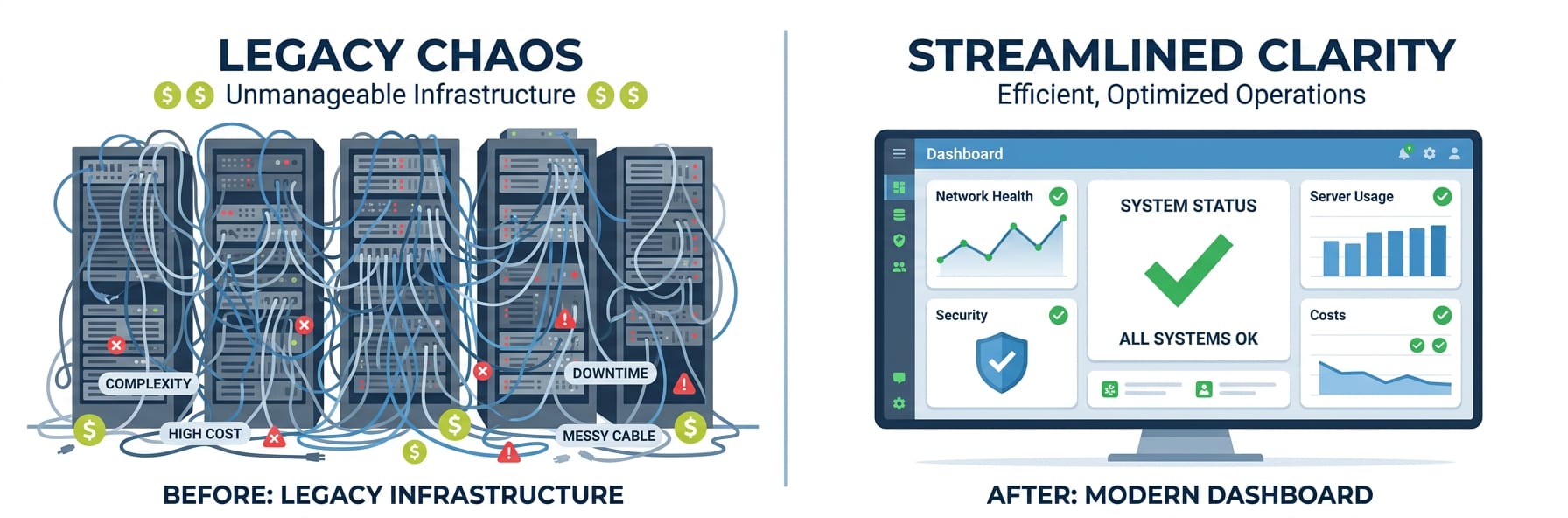
If you've ever tried self-hosting an open-source AI bot framework like OpenClaw, you already know how this goes. What starts as a fun weekend project somehow turns into a weeks-long infrastructure nightmare. You're spinning up servers, fighting with Docker configs, untangling dependency hell, and chasing down API rate limit errors — and your bot still hasn't talked to a single user yet. Nobody really talks about how much the "free" self-hosted route actually costs you, but it adds up fast. Throw in ongoing maintenance, security patches, and the time your team isn't spending on real product work, and the math gets ugly pretty quick.
Then there's the other option: fully managed AI bot platforms that come with their own models baked in. Sounds great until you actually use one. You're stuck with whatever models they've decided to support, whatever pricing tiers they've dreamed up, and whatever rate limits they feel like enforcing. Want to swap from GPT-4o to Claude 3.5 Sonnet because it actually works better for your use case? Too bad. Need to handle a traffic spike during a product launch without getting slapped with a huge overage bill? Good luck with that. Basically, you're trading one headache for a different headache — either you drown in infrastructure complexity, or you get nickel-and-dimed by a platform that controls everything and explains nothing.
"Spent three weekends getting OpenClaw running on a $20/mo VPS. Then the OpenAI SDK update broke everything and I had to spend another full day fixing it. The 'free' option has cost me probably 40 hours of my life I'm not getting back. There has to be a better way."
— r/selfhosted
"Our SaaS vendor bundles GPT-3.5 into their bot tier but charges $200/mo to 'upgrade' to GPT-4. I literally already have an OpenAI API key sitting there with GPT-4o access. Why am I paying them to gatekeep my own model access? It makes zero sense."
— r/SaaS
| Approach | Monthly Cost | DevOps Effort | Maintenance | Time to Deploy |
|---|---|---|---|---|
| Self-hosted (VPS) | $20-80/mo + time | High — server setup, Docker, SSL | Updates, monitoring, backups | Hours to days |
| Self-hosted (home server) | $5-15/mo electricity | Very high — networking, uptime | Hardware failures, ISP issues | Days |
| Cloud functions | $10-50/mo variable | Medium — cold starts, limits | Vendor lock-in, scaling config | Hours |
| Weavin (Managed) ✦ | $39.9/mo flat | Zero — fully managed | None — platform handles everything | ~5 minutes |
What You'll Have at the End
You will get
- Self-hosting true cost often exceeds $400/mo after ops and infra
- Managed platforms cut setup time from weeks to under 5 minutes
- BYOK support keeps your AI model costs fully under your control
- Maintenance and downtime risk falls entirely on self-hosters
Step-by-Step Guide
Click each step to expand. The whole process takes about 5 minutes.
Connect Your Own API Key to Weavin ~3 min
Instead of paying Weavin's token markup, bring your own key from Anthropic, OpenAI, or Google and pay provider rates directly. This is the first step in understanding your true cost baseline.
- Log into your Weavin dashboard and navigate to Settings → API Keys
- Click Add Your Own Key and select your provider (Claude, GPT-4, or Gemini)
- Paste your API key from your provider's console — Weavin encrypts it at rest immediately
- Toggle the BYOK switch to Active so your workspace routes all requests through your key
Benchmark Your Monthly Token Usage ~5 min
Before comparing self-hosting OpenClaw to Weavin BYOK, you need a real usage number. Weavin's built-in analytics give you this without any infrastructure setup.
- Go to Analytics → Usage Report and set the date range to your last 30 days
- Note your total input tokens and total output tokens broken down by model
- Export the CSV and multiply token counts by your provider's published per-million-token rate
- Save this number — this is your raw inference cost, identical to what you'd pay running OpenClaw self-hosted
Calculate the Hidden Costs of Self-Hosting OpenClaw ~8 min
Self-hosting looks cheaper until you add the real line items. Use your Weavin usage data from Step 2 to do an honest side-by-side comparison right now.
- Estimate compute: a production OpenClaw instance needs at minimum a 2 vCPU / 4 GB RAM VM — price this on AWS, GCP, or your preferred cloud (~$40–80/month baseline)
- Add storage, load balancer, and egress costs — typically $15–30/month for a low-traffic deployment
- Factor engineering time: initial setup averages 8–12 hours, plus ongoing maintenance at ~2 hours/month; multiply by your hourly rate
- Compare that total against Weavin's flat workspace fee with BYOK active — if your inference cost from Step 2 is under ~$200/month, self-hosting rarely breaks even
Set Spend Guardrails in Weavin to Lock In Savings ~4 min
Once your API key is connected, protect yourself from runaway costs that would make self-hosting look attractive again. Weavin lets you cap spending per workspace, per bot, and per user.
- Go to Settings → Budget Controls and enable Monthly Spend Cap — enter 110% of your Step 2 baseline as a safe ceiling
- Under Per-Bot Limits, set a daily token budget on any high-traffic bot to prevent a single workflow from consuming your quota
- Enable Cost Alerts at 70% and 90% of your cap so you get Slack or email warnings before hitting the limit
- Review the Cost vs. Self-Host Estimate card in Analytics monthly — Weavin updates this automatically using your BYOK provider's current pricing
What Happens After Launch
Real Use Cases Right Now