How to Use Your Own OpenAI/Anthropic API Key in a No-Code Bot Platform
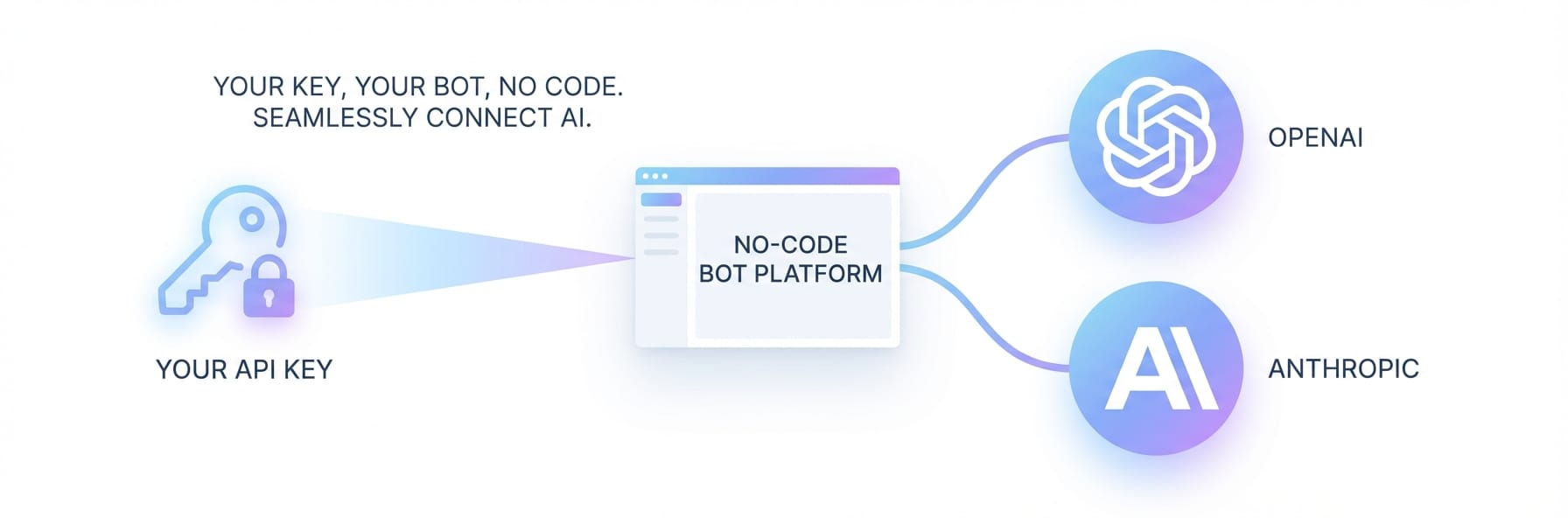
Connect your own OpenAI or Anthropic API key to Weavin and launch a fully custom AI avatar bot in minutes.
Why Use Your Own API Key
If you've tried building an AI chatbot for your business without touching a line of code, you already know the drill. Most no-code bot builders trap you in their ecosystem — their models, their pricing, their rules. Every API call gets a markup slapped on it, and good luck figuring out what you're actually paying for. The more conversations your bot handles, the faster those mystery charges pile up. You can't swap models, you can't cap your spend, and you definitely can't optimize what you can't see.
So you try the other route: self-hosted, or cobbling things together in Zapier or Make. That's its own headache. Suddenly you're wrangling infrastructure, chasing down silent failures in your automation chains, and spending your weekends debugging API version mismatches instead of, you know, actually improving your bot. It's a brutal choice — pay through the nose for a platform that does everything, or claw back control and basically become a part-time DevOps engineer. Most growing businesses get stuck right in that gap, and it's genuinely frustrating.
"I'm paying my bot platform almost $400/month and I have no idea how much of that is actual API usage versus their markup. When I asked support for a cost breakdown they just pointed me to a vague pricing page. I literally can't tell if I'm being ripped off." — r/SaaS
"Tried to set up a Claude-powered support bot using Zapier. Three days later I had a Frankenstein workflow with 12 steps that broke every time Anthropic updated their API. Went back to the overpriced platform because I just don't have time for this. There has to be a better way." — r/nocode
That's the real benchmark: not whether something is technically "no-code," but whether a non-technical person can actually finish it.
| Method | Cost Control | Model Choice | Setup Complexity | Ongoing Maintenance |
|---|---|---|---|---|
| Traditional no-code platforms | Hidden markups | Limited | Easy | Platform-dependent |
| Self-hosted solutions | Full control | Any model | Complex | You're on your own |
| Zapier/Make workflows | Variable | Limited | Moderate | Frequent issues |
| Weavin with BYOK ✦ | Direct billing | Any supported model | Easy | Handled for you |
What You'll Have at the End
You will get
- Full control over your AI model costs with pay-as-you-go billing direct to OpenAI or Anthropic
- Choose GPT-4o, Claude 3.5 Sonnet, Gemini, or any supported model for your bot
- Deploy your AI avatar to Telegram, Discord, Slack, Lark, or WhatsApp in under 5 minutes
- Keep your API key private and secure — Weavin never stores or shares your credentials
Step-by-Step Guide
Click each step to expand. The whole process takes about 5 minutes.
Access the API Key Settings in Weavin ~1 min
Before connecting your own key, navigate to the credentials section inside Weavin where third-party AI providers are managed.
- Log in to your Weavin account and open your dashboard.
- Click your profile icon in the top-right corner and select Settings.
- In the left sidebar, locate and click AI Providers under the Integrations section.
- You will see a list of supported providers: OpenAI, Anthropic, and Google Gemini.
Retrieve Your API Key from OpenAI or Anthropic ~2 min
You need to copy your secret API key directly from your provider's dashboard before entering it into Weavin. For step-by-step setup, see our documentation.
- For OpenAI: Go to platform.openai.com/api-keys, click Create new secret key, name it (e.g. 'Weavin'), and copy the key immediately — it won't be shown again.
- For Anthropic: Go to console.anthropic.com/settings/keys, click Create Key, and copy the generated key.
- Store the key temporarily in a secure place such as a password manager before switching back to Weavin.
Enter and Save Your API Key in Weavin (BYOK Setup) ~2 min
Now connect your copied API key to Weavin so the platform can authenticate requests on your behalf using your own account quota.
- Back in Weavin's AI Providers settings, click Connect next to your chosen provider (e.g. OpenAI).
- Paste your API key into the Secret API Key field in the popup dialog.
- Optionally enter an Organization ID if your OpenAI account uses one.
- Click Verify & Save — Weavin will send a test ping to confirm the key is valid before storing it encrypted.
- A green Connected badge will appear next to the provider once verified successfully.
Assign Your API Key to a Bot and Select a Model ~2 min
With your key saved, you can now assign it to any bot inside Weavin so that bot's AI responses are billed directly to your own provider account.
- Navigate to My Bots from the main sidebar and open the bot you want to configure, or create a new one.
- Inside the bot editor, click the AI Model tab or section.
- Under API Key Source, switch the toggle from Weavin Shared to My Own Key (BYOK).
- Select your connected provider from the dropdown (e.g. Anthropic) and then choose a specific model such as claude-opus-4-5 or gpt-4o.
- Click Save Bot Settings. All future conversations on this bot will now consume your personal API quota and reflect your provider's pricing directly.
What Happens After Launch
Real Use Cases Right Now